Actions
Bug #579
closedLỗi message không đúng khi import file tại màn hình Quantity Management (field 倉庫在庫)
Start date:
10/28/2025
Due date:
% Done:
0%
Estimated time:
Description
Môi trường:
-
Environment: Staging
-
Account: meanlovey14@gmail.com/ Ph@mhy123
-
Role: Logistics
Steps to Reproduce:
-
Đăng nhập vào hệ thống bằng tài khoản Logistic.
-
Truy cập màn hình Quantity Management.
-
Nhấn Import để upload file CSV.
-
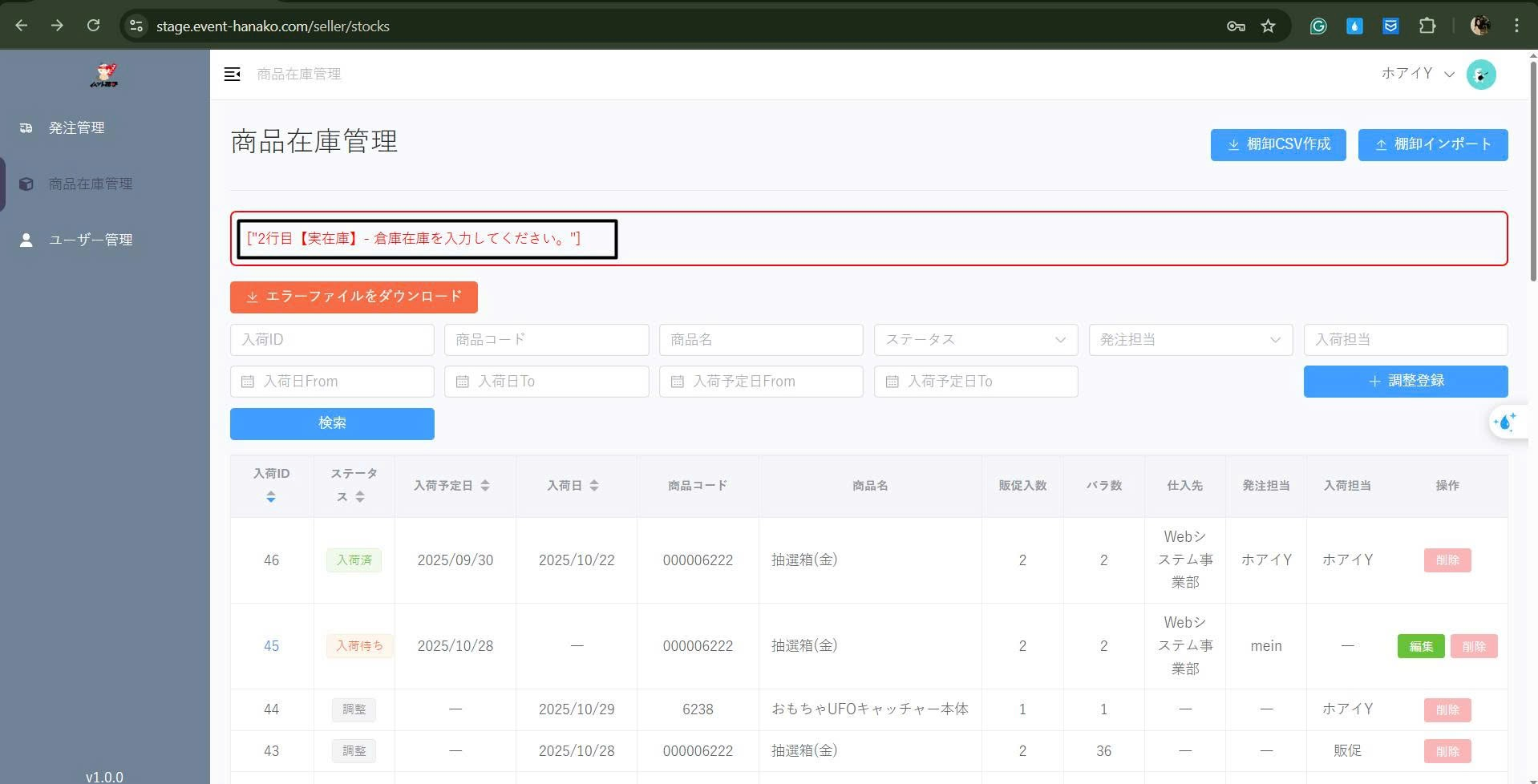
Trường hợp 1: Import file có field 倉庫在庫 để trống.
-
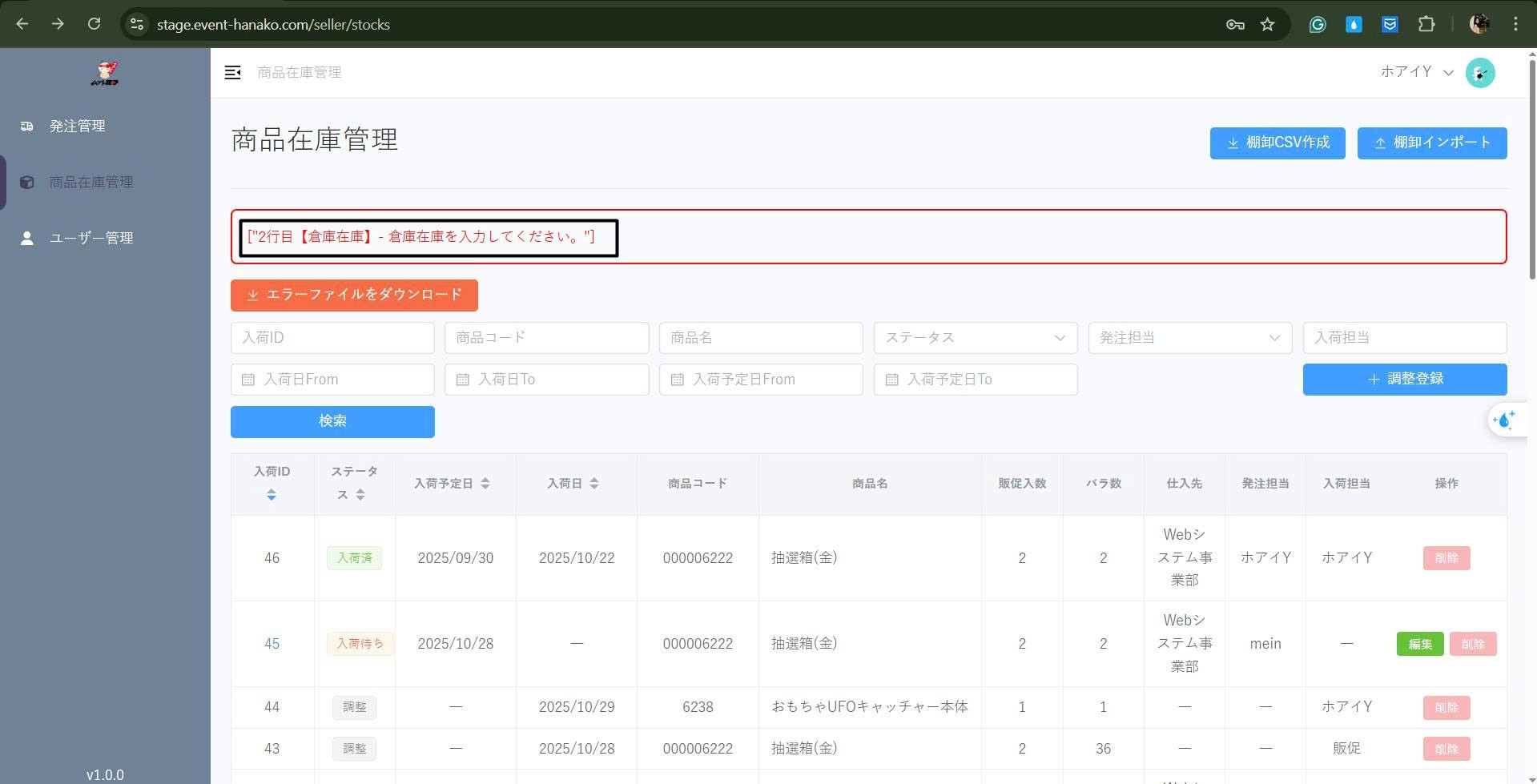
Trường hợp 2: Import file có field 倉庫在庫 nhập giá trị lớn hơn 8 ký tự.
Kết quả thực tế (Actual Result):
-
Trường hợp 1: Hiển thị message: 2行目【実在庫】- 倉庫在庫を入力してください。
-
Trường hợp 2: Hiển thị message: 2行目【倉庫在庫】- 倉庫在庫を入力してください。
Kết quả mong đợi (Expected Result):
-
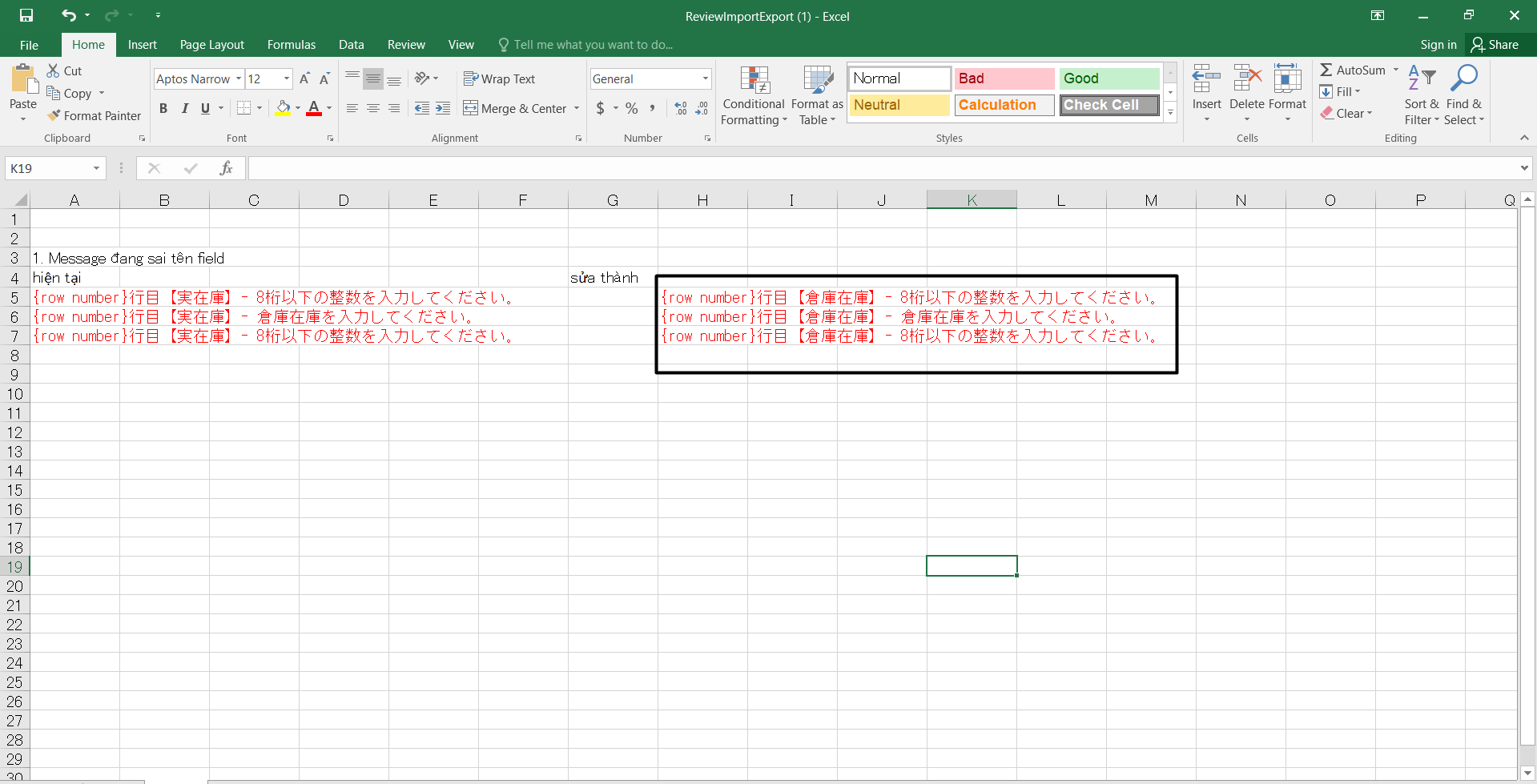
Trường hợp 1: Hiển thị message đúng là {row number}行目【倉庫在庫】- 倉庫在庫を入力してください。
-
Trường hợp 2: Hiển thị message đúng là {row number}行目【倉庫在庫】- 8桁以下の整数を入力してください。
Files
Actions